Feedback
Cloud Version 4.10
Release Date: 2025-12-19
-
Introduced an option to auto-create Salesforce records directly from Jira using predefined criteria.
-
Added new configuration options for following:
- Bulk case creation
- Inline attachment handling
-
Added an option on the Salesforce Settings screen to restrict specific Jira IssueTypes for Salesforce record creation, bulk case creation, and link/unlink actions.
-
Fixed an issue where saving the mapping in "Map Jira Projects and Issue Types" on the Jira side caused the Issue Panel settings to be automatically disabled.
-
Minor UI fixes.
Note: The Jira Premium Plugin provides enhanced capabilities, including manual Salesforce record creation, automatic Salesforce record creation, and bulk case creation from Jira. To enable or activate these features for the Jira plugin, please contact us at [email protected].
Cloud Version 4.9
Release Date: 2024-10-08
-
View Salesforce emails within the Jira plugin along with the option to download attachments, view inline images, and sort by email direction (inbound, outbound, or both).
-
Email tab is configurable and can be toggled off from Configuration.
-
UI/UX Enhancements in Authentication, Configuration, Event Configuration, and Salesforce Settings screen.
-
The Salesforce fields can have a custom label.
-
Help text can be added for Salesforce fields on the front end.
-
Handled the scenario where checkbox fields were showing as required on the Jira side.
-
Create Salesforce Record' screen now renders picklist options based on specific Salesforce record type instead of all record types.
-
The Salesforce redirect button is now configurable and can be toggled off from Configuration.
Cloud Version 4.0
Release Date: 2023-07-07
Functionality level changes
-
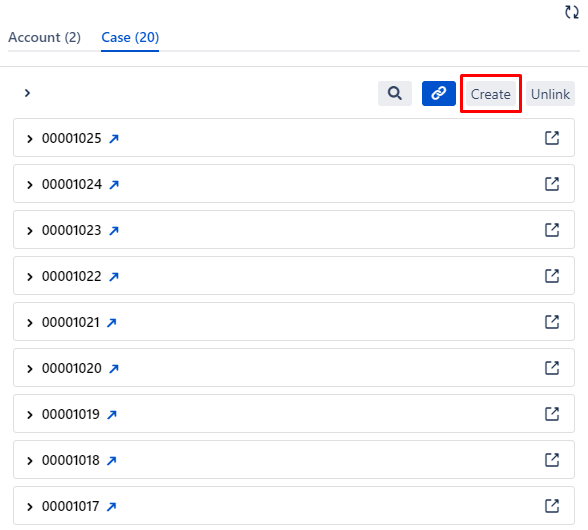
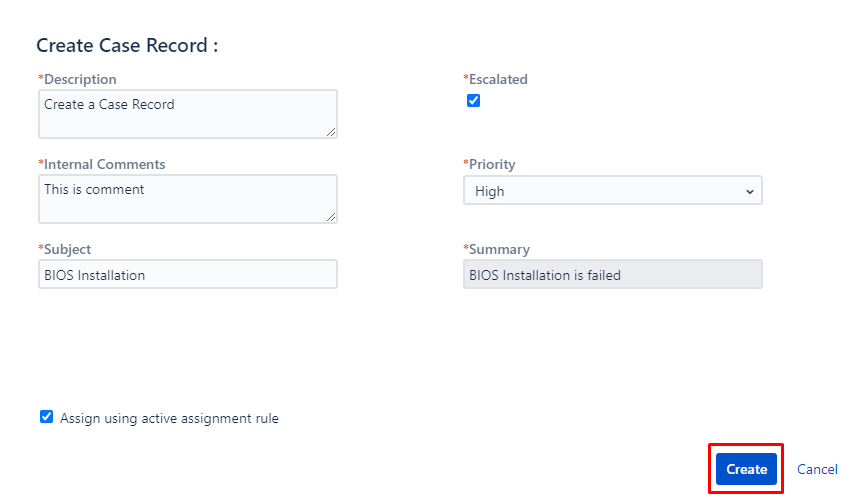
Create Salesforce object records from Jira.
Once the Admin has configured the Salesforce object fields and Jira project fields with respect to their field types then End users will be able to create a ticket.
-
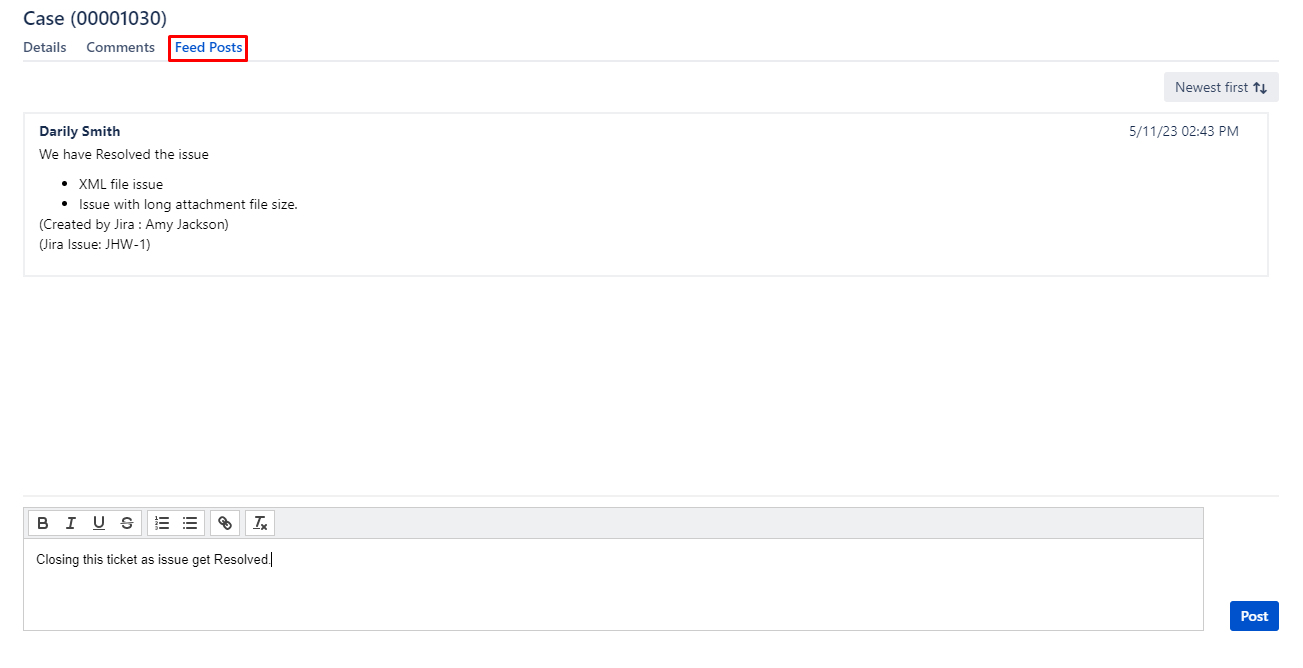
The Feed Signature feature is introduced to display the identity of the Jira user who has posted the feed.
-
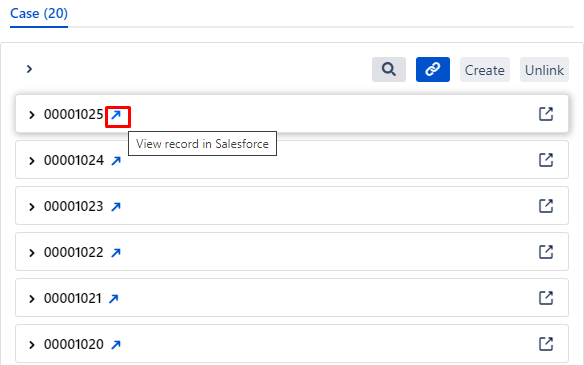
Option to Redirect to a specific Salesforce case from Jira itself.
Admin level Changes
-
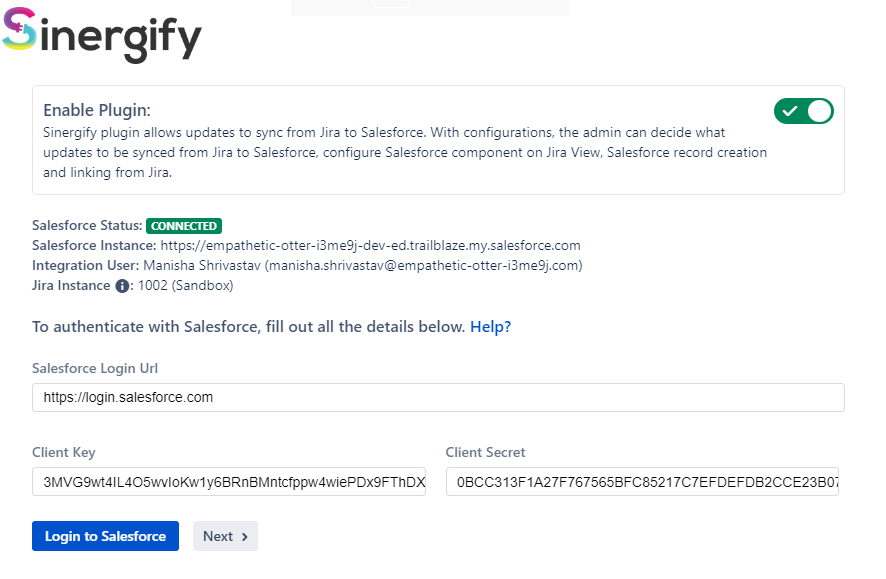
Enhanced authentication screen:
-
Option to Enable or Disable the plugin (Ability to manage the firing of events).
-
Jira Admin will be able to see the Integration User.
-
Instance Number and Instance Name will be visible on the Authentication Screen itself.
-
-
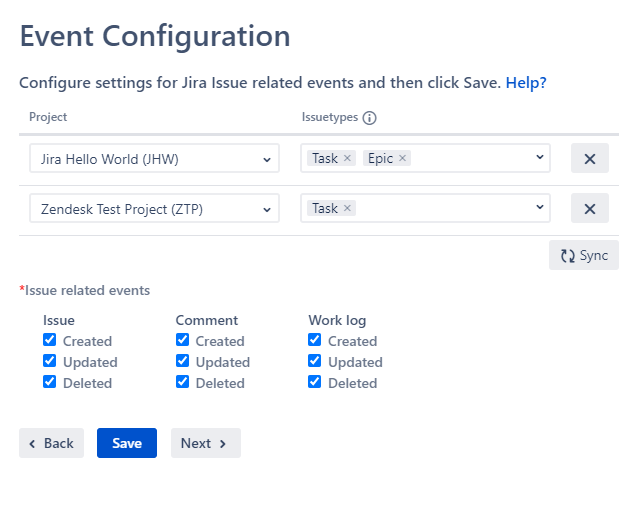
Event Configuration screen refinements
-
Events will be fired with respect to the projects and their issue types.
-
To display the Salesforce Configuration in Jira, simply click on the sync button.If there are existing projects in Salesforce, this action will lead to the removal of all current configuration.
-
Events will be fired for work logs.
Note: Salesforce has certain API limits when integrating with other platforms, and it is necessary to ensure that the API requests meet these limits imposed by Salesforce. To address this issue and enhance security, the Project and issue types are added to optimize the API usage.
-
-
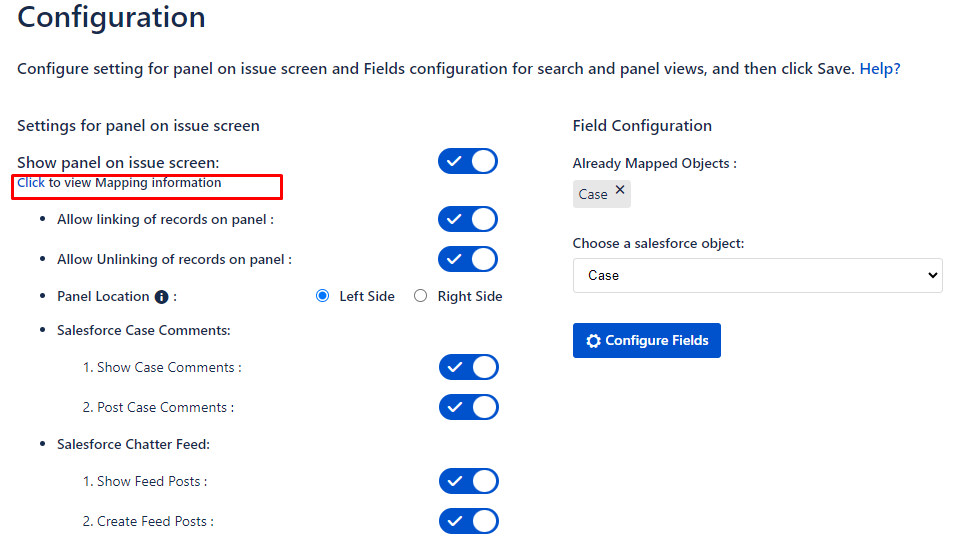
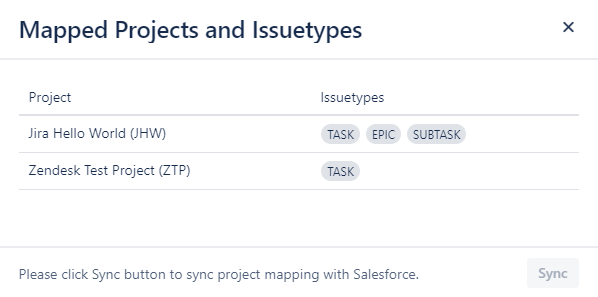
This option will help Admin to see in what all projects and issuetypes are Mapped.
- Added an option on the Salesforce Settings screen to restrict specific Jira IssueTypes for Salesforce record creation, bulk case creation, and link/unlink actions.
- Minor UI-level fixes have been made to improve the overall appearance and consistency in Dark Theme mode.
-
New screen added “Salesforce settings“ which is used to map Salesforce Object fields with Jira project fields to prepopulate the field values on Create Salesforce Record Screen.
-
Set default values for Case and Lead Assignment Rules which can be modified during record creation.
-
Option to map salesforce labels of the selected project fields in Required fields.
-
Option to map additional Jira fields available in a selected Jira project and also have the option to mark the fields mandatory/required by checking the ‘Required’ box on the fields. The marked fields would require a value while creating a record from Jira.
-
Option to decide the mapping of picklist values which is applicable only for picklist type fields.
Note: In case there are no projects visible here that have been mapped in Salesforce, you should navigate to the Configuration Screen and map the Project.
-