
 Feedback

Forge Version 1.0
Release Date: 2026-11-05
Compatible package version: Sinergify 6.59.1 or above
1. Now on Atlassian Forge
Sinergify now runs on Atlassian Forge, Atlassian’s current platform for Jira Cloud apps, replacing Atlassian Connect. Everything works as before: you can still create, link, view and unlink Salesforce records from a Jira issue, and issue changes, comments and worklogs continue to sync to Salesforce.
2. Connect multiple Salesforce orgs to one Jira site
Connect your Salesforce sandbox alongside production to test safely, or link separate Salesforce orgs for different teams or regions, all from the same Jira site.
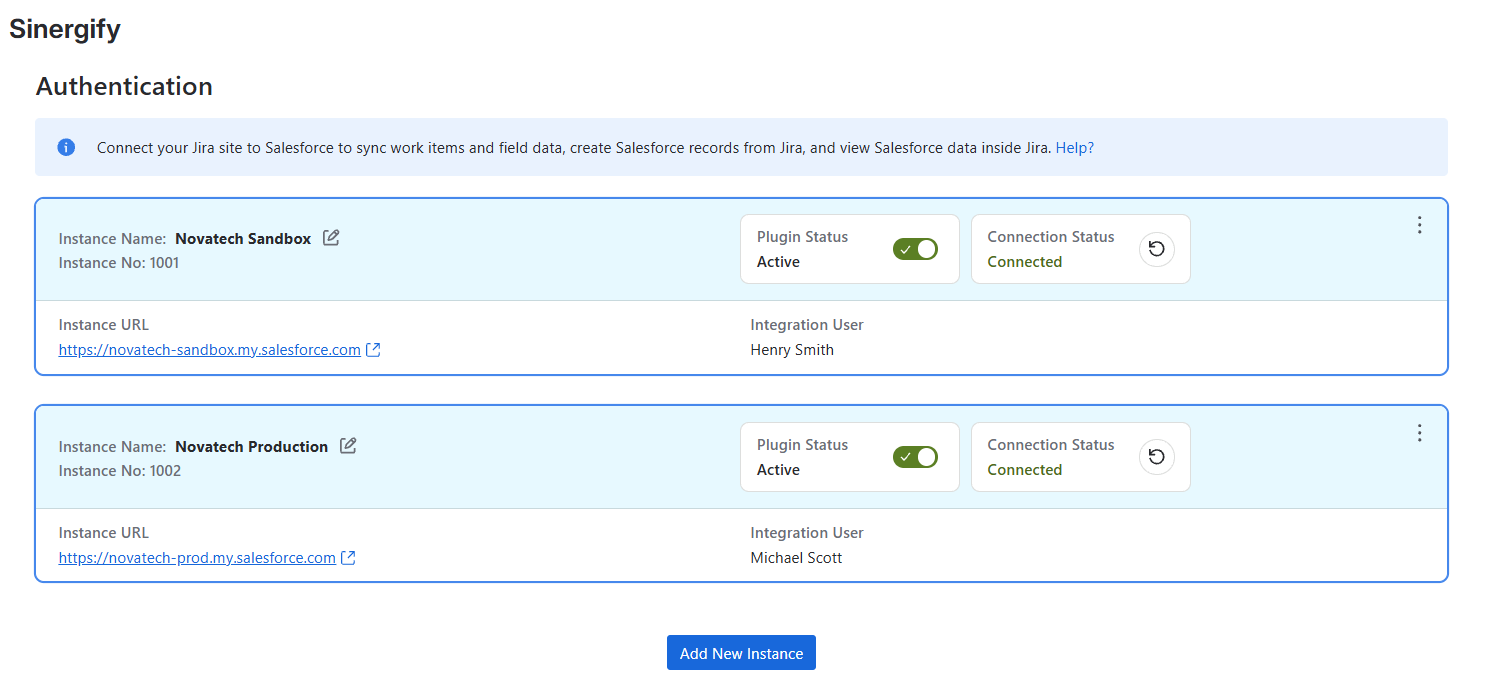
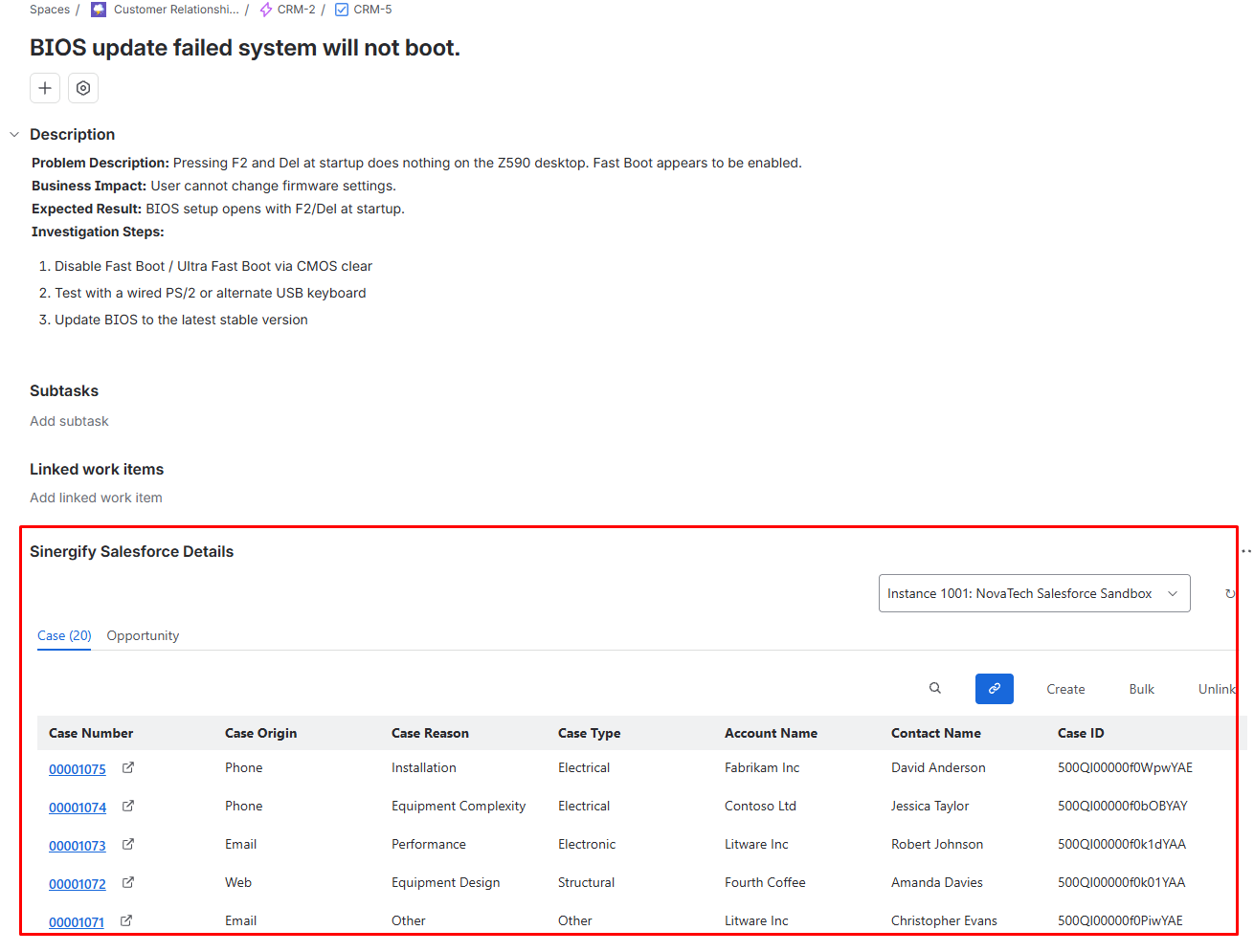
3. Easier setup and clearer admin screens
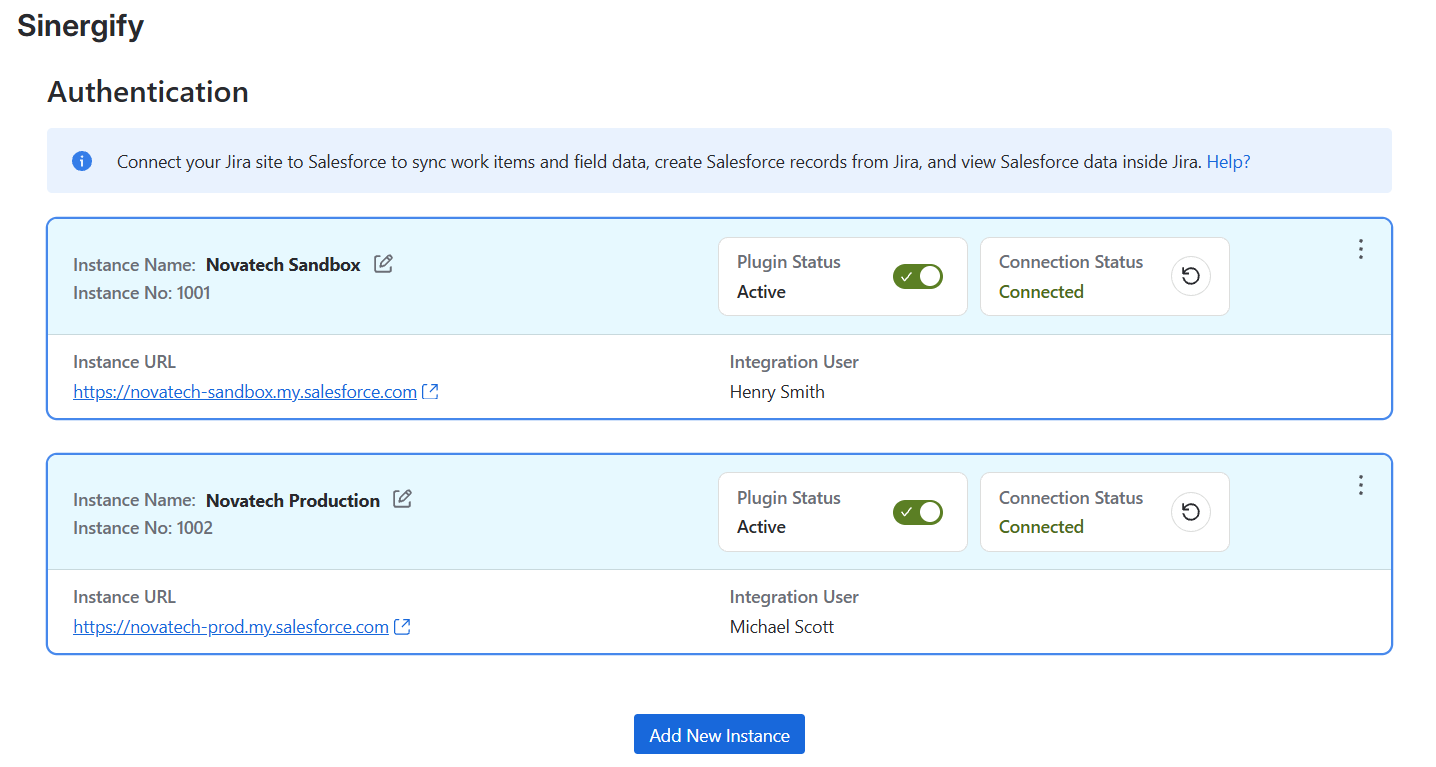
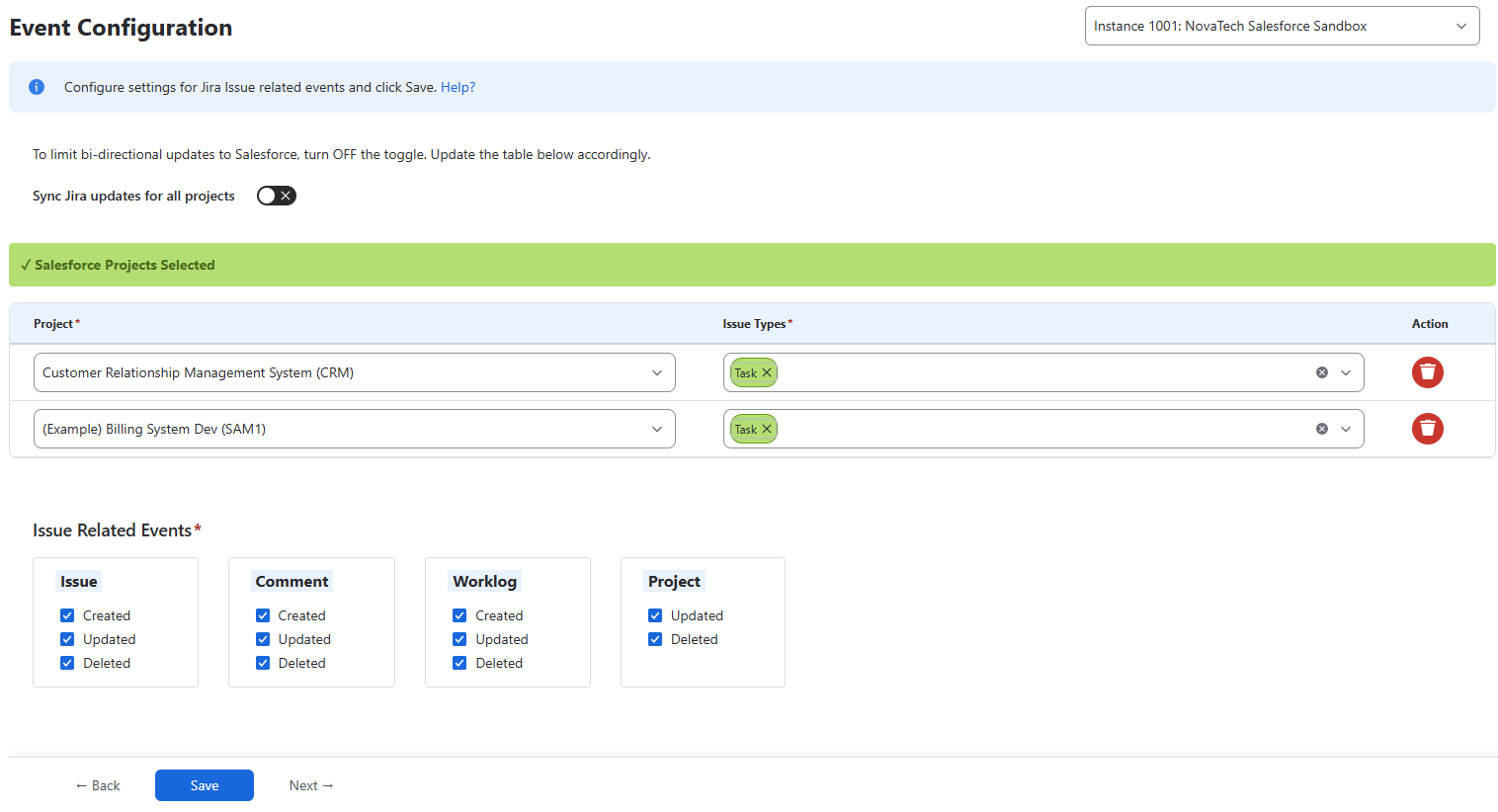
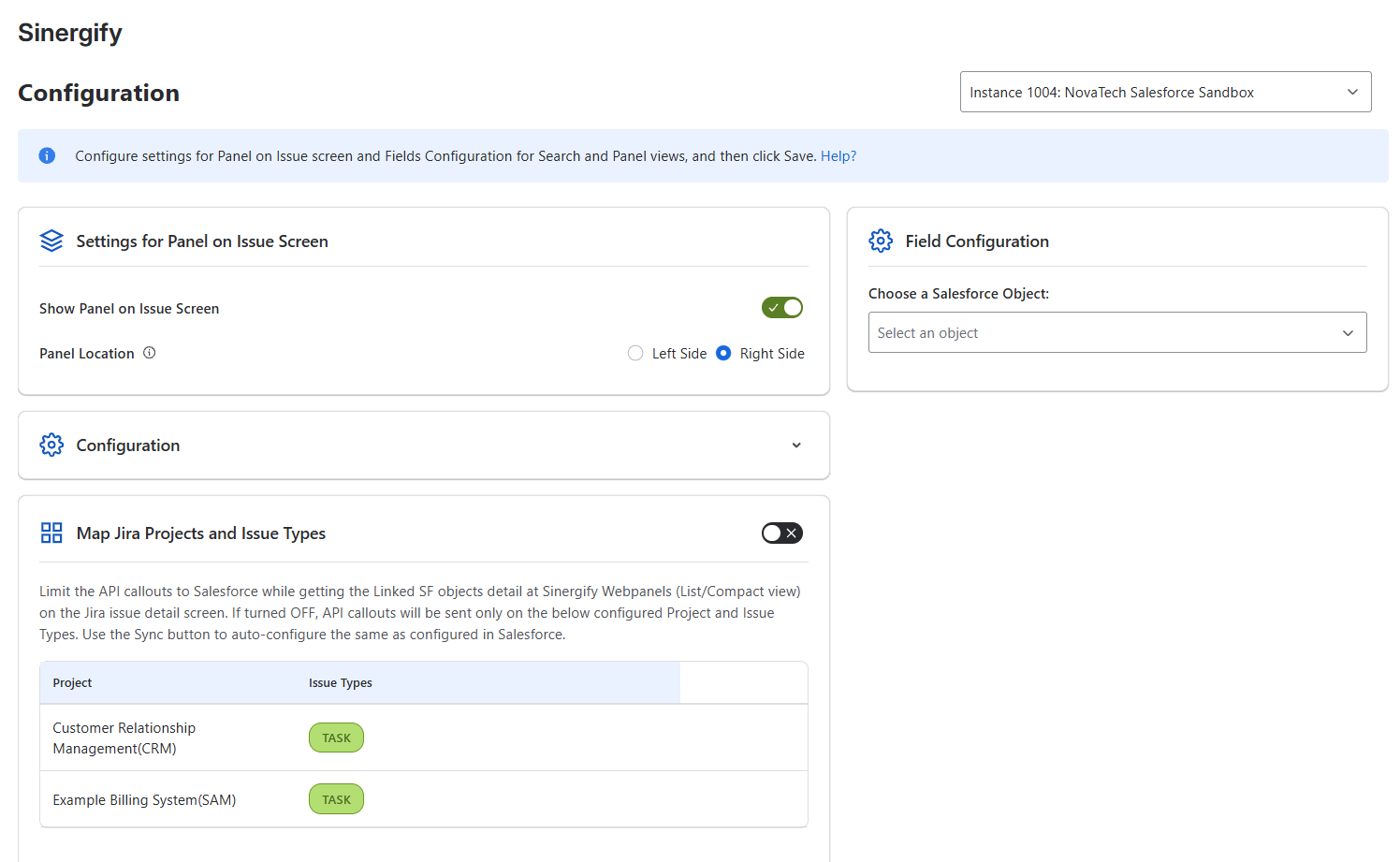
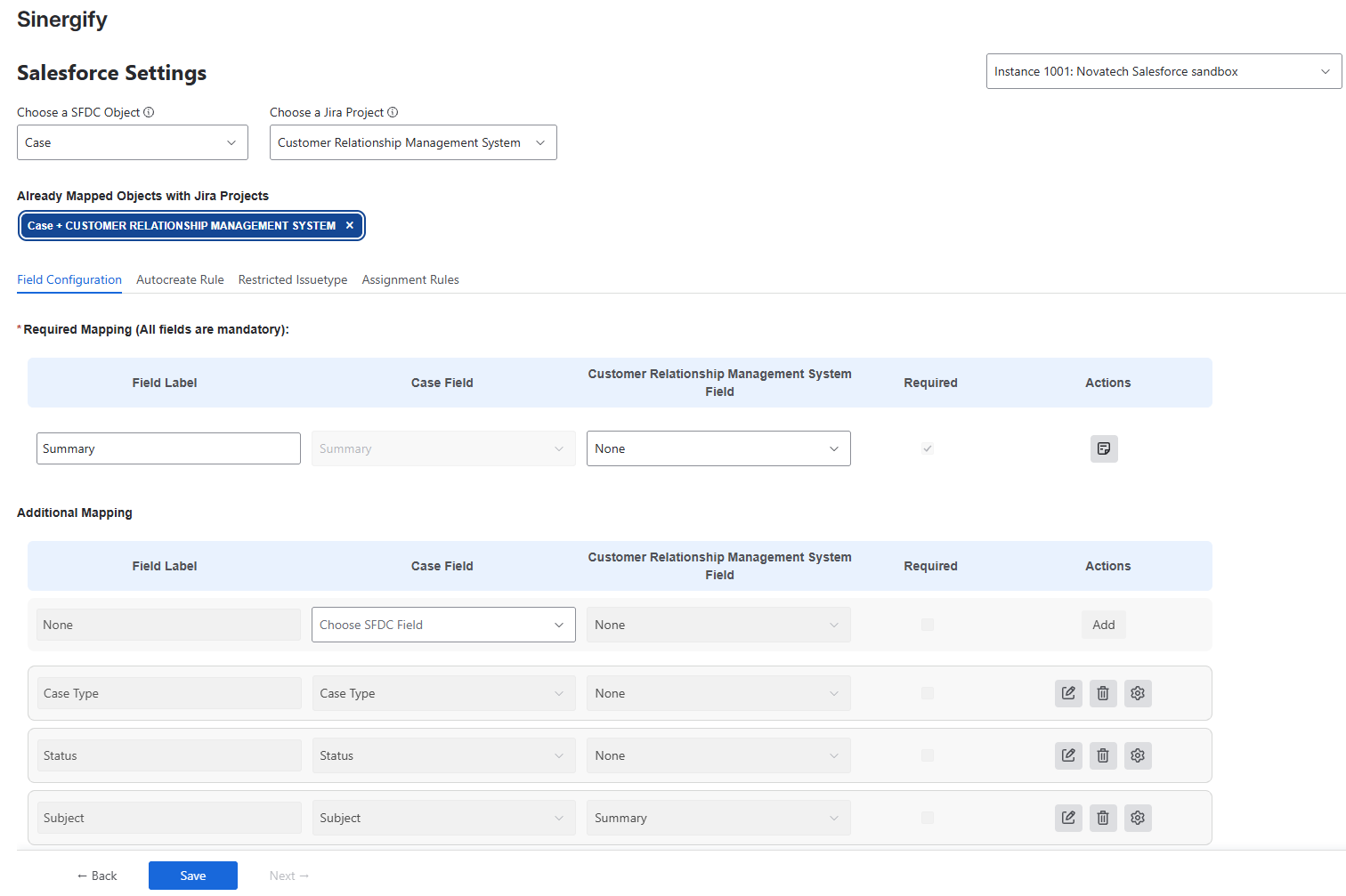
The admin screens have been redesigned. You can find them in Jira under Settings → Apps → Sinergify. On every screen after Authentication, pick the instance from the selector at the top right before you make changes.
Authentication
Event Configuration
Configuration
Salesforce Settings
Note: Re-authenticating in the future
If you need to re-authenticate an org later, update the Callback URL in your Salesforce Connected App first. Otherwise the authentication will fail with a redirect URI mismatch error.
-
In Salesforce, go to Setup → App Manager, find the Sinergify Connected App, and click Edit.
-
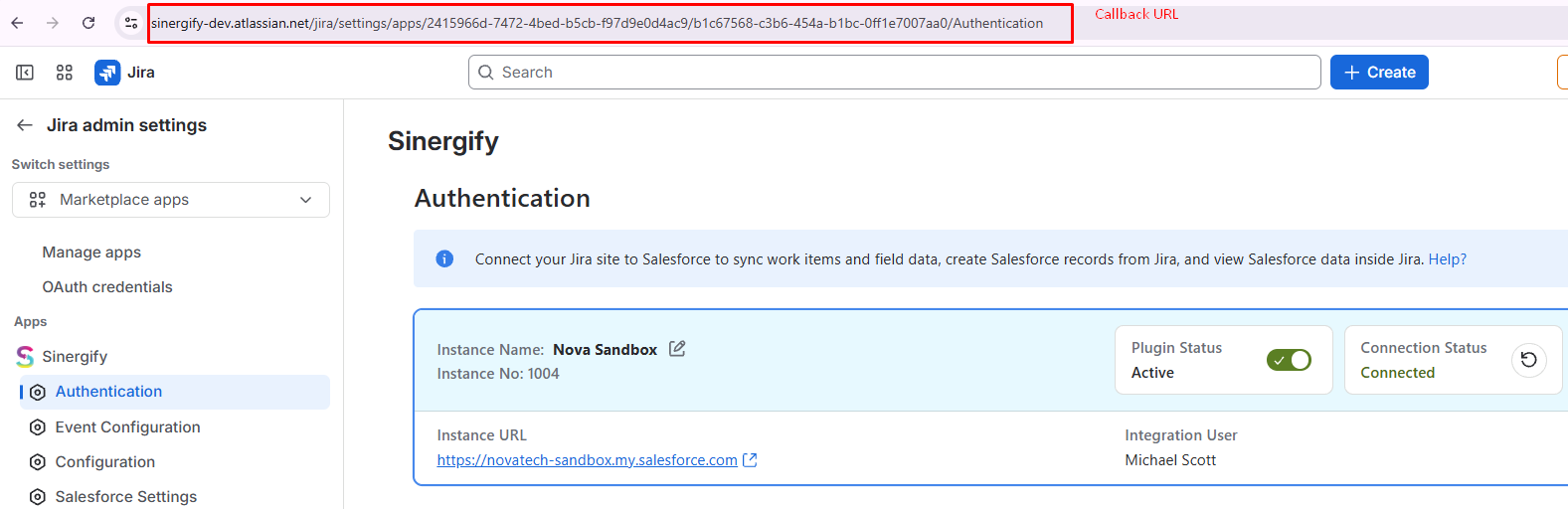
Under the Callback URL, replace the existing value with the new URL. You can either:
-
Copy the callback URL from the browser address bar when the authentication page opens, or
-
use the format below:
Syntax:
https://<jira-site>.atlassian.net/jira/settings/apps/<app-id>/<environment-id>/Authentication
-
<jira-site> – your Jira Cloud site name.
-
<app-id> – the ID of the Sinergify Jira app. It is the same for every customer.
-
<environment-id> – the ID of the Sinergify app environment on your Jira site. It is different for each customer.
-
-
-
Save, wait a few minutes for the change to take effect, then re-authenticate the org from the Authentication screen. Your existing settings for that org are kept.


