Feedback
Jira Plugin v4.0 Release Notes
 Important!
These release notes are related to Jira Plugin( Cloud , Server ) Version 4.0. In order to Install & Setup the Plugin on your respective Cloud/Server Instance, kindly make sure your Salesforce side package requirements are met. i.e. Sinergify Package on Salesforce should be updated to Version 5.x or above AppExchange
For Queries drop us an email at [email protected].
Jira Plugin v4.0 Release Notes:
A. Functionality level changes
-
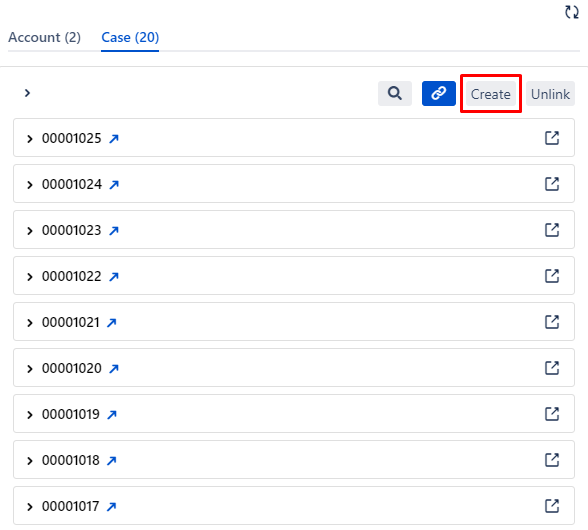
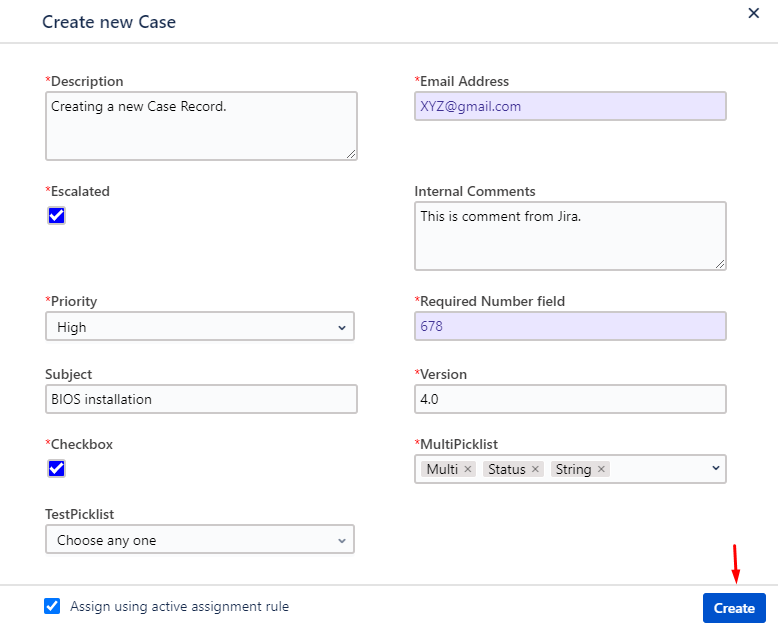
Salesforce object records from Jira.
Once the Admin has configured the Salesforce object fields and Jira project fields with respect to their field types then End users will be able to create a ticket.
-
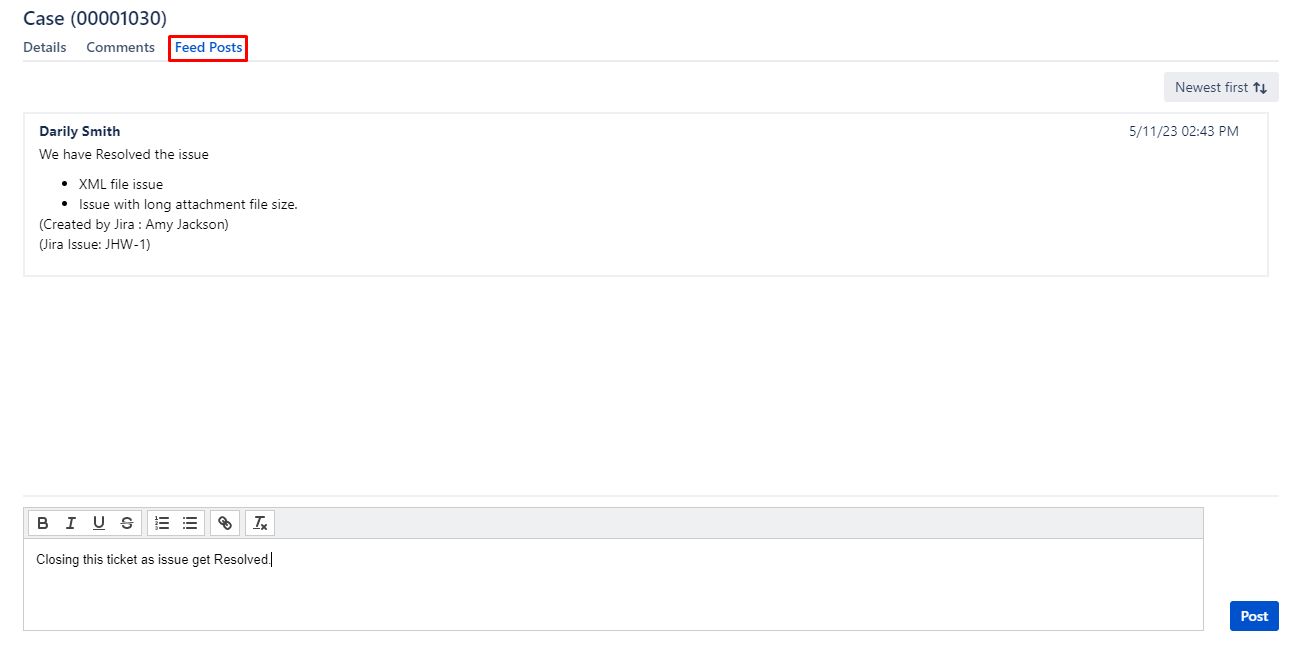
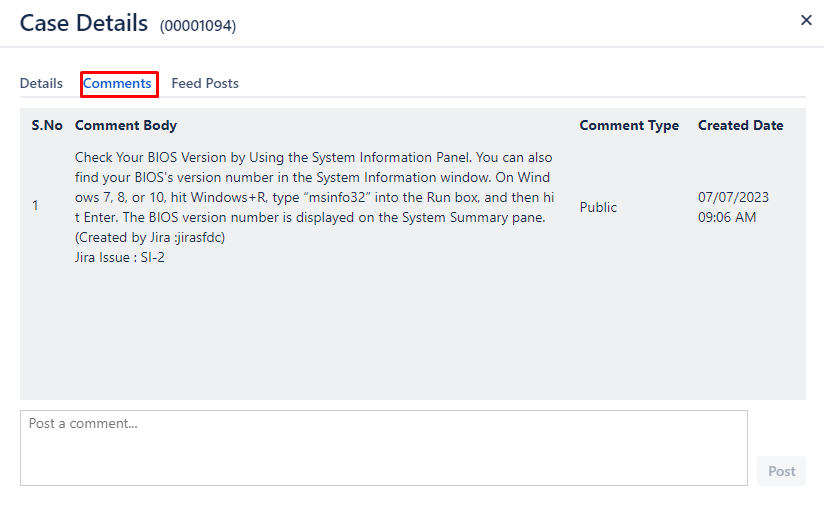
Introducing Feed and Comment Signature feature to display the identity of the Jira user who has posted the feed and comment.
-
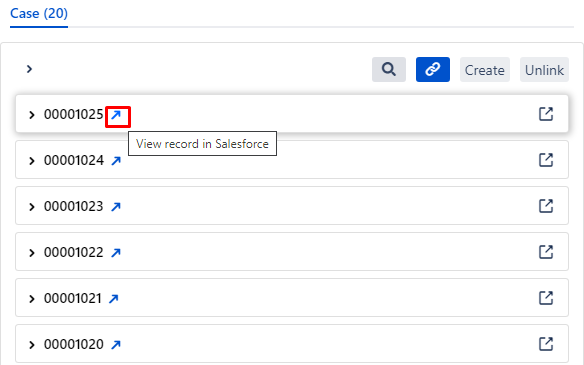
Provided an option to redirect to the Salesforce Case from Jira itself.
B. Admin level Changes
-
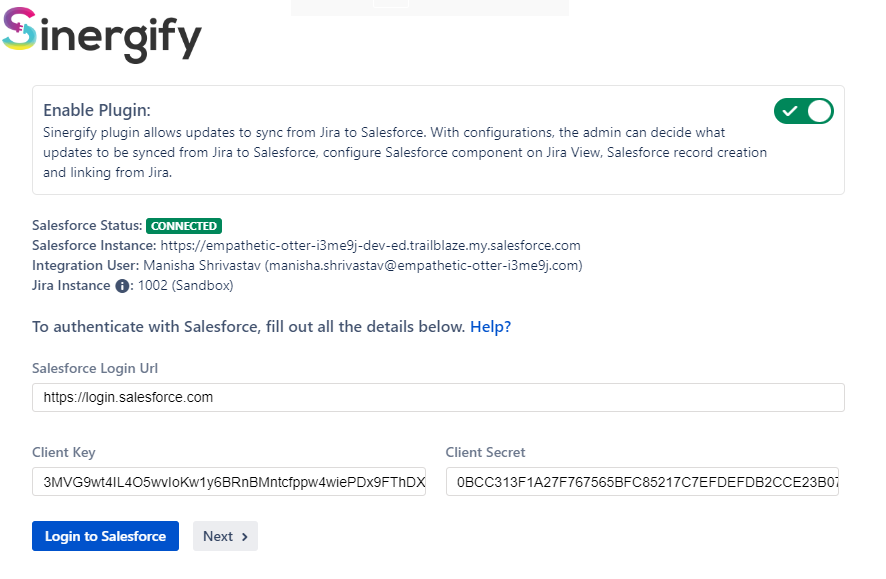
Authentication screen Enhancements:
-
Option to Enable/Disable the plugin.
-
Provided visibility on Integration user, Instance Number and Instance Name.
-
-
Event Configuration Enhancements
-
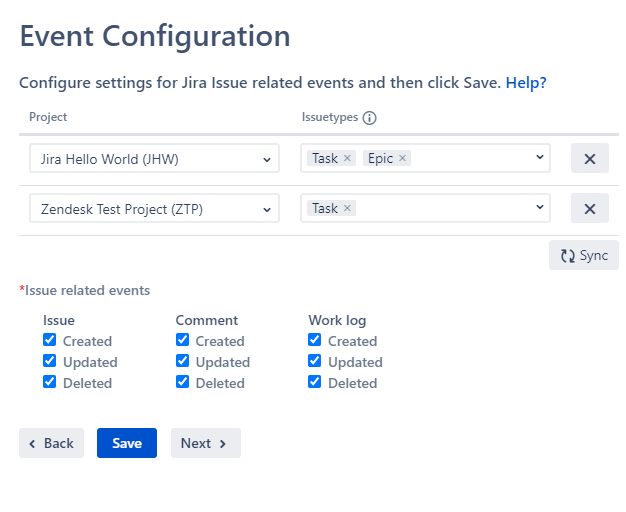
Events will be fired with respect to the projects and their issue types selected.
-
To display the Salesforce Configuration in Jira, simply click on the sync button.
-
If there are existing projects in Salesforce, this action will lead to the removal of all current configuration.
-
Events now also support work logs & time tracking. To support Salesforce Worklog/Time tracking feature can now be controlled by Jira events also support the same.to know more about this feature follow the doc Time tracking.
-
We can sync Projects and Issue type mapping from Salesforce.
-
-
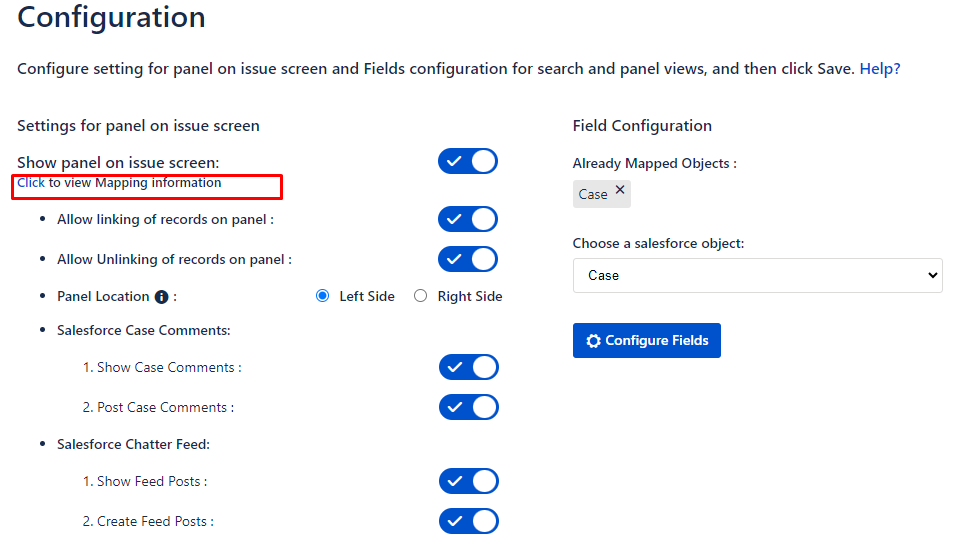
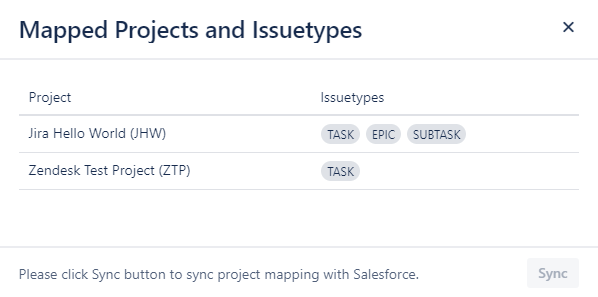
Click to view mapping information: This option will help Admin to see what all projects and Issue types are mapped.
-
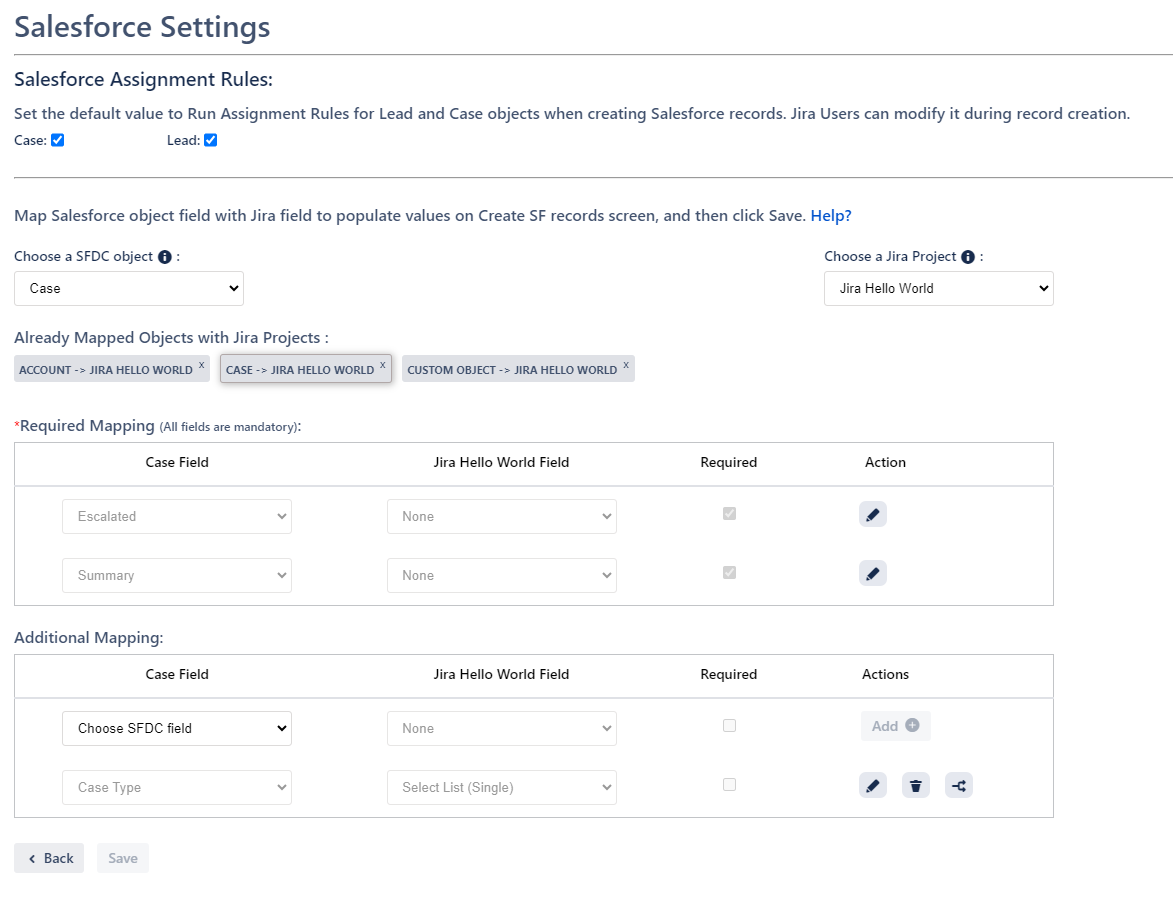
Salesforce settings Screen: A new screen has been added which will be used to map Salesforce Object fields with Jira project fields to prepopulate the field values on Create Salesforce Record Screen.
-
Ability to use the default Case and Lead Assignment Rules that exist on Salesforce. This can be modified during record creation.
-
Ability to map the required fields of selected Salesforce object in Required Fields Section
-
Ability to map additional Salesforce Non required fields and also have the option to mark the fields mandatory/required by checking the ‘Required’ box on the fields. The marked fields would require a value while creating a record from Jira.
-
Ability to decide the mapping of picklist values which is applicable only for picklist type fields.
-
End of the Document