Feedback
Instances
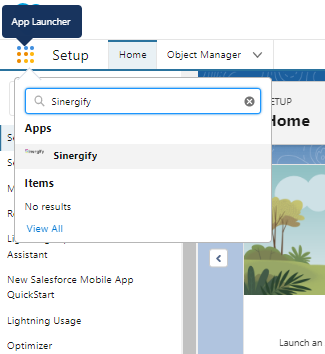
Once the product is installed on your Salesforce org, you can click on App Launcher and then search for ‘Sinergify’.
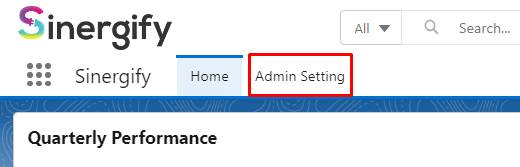
Select ‘Admin Setting’ on the Navigation bar.
You will see an option to add your Jira Instance. You can add one instance by default. Contact [email protected] if you need to unlock additional instances.
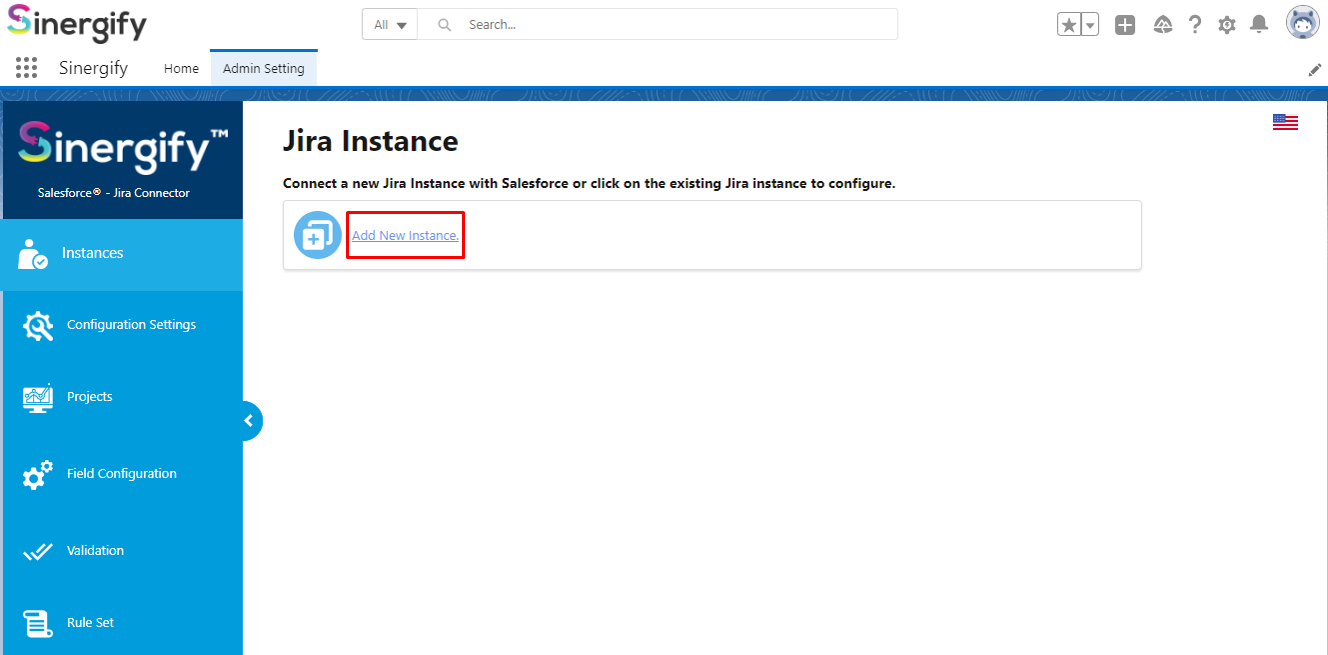
Once you click on Add New Instance, you will get an option to choose from the two Authentication methods, either Basic or more secure i.e. Oauth.
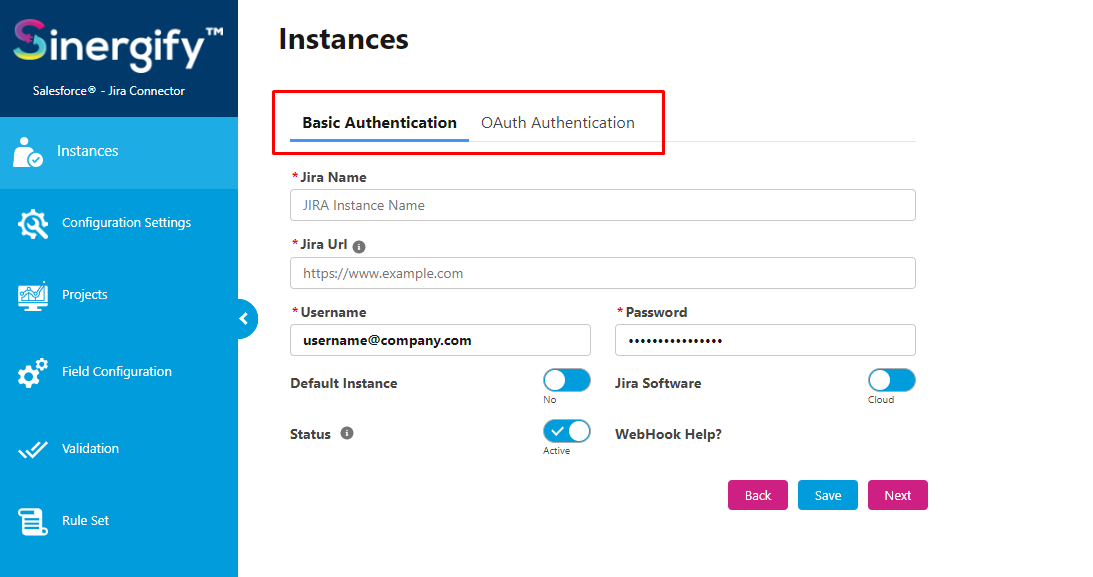
Enter the Integration User details on the respective screens and follow the authentication documentation for further details.