Feedback
Default Mapping
Published Date: 28-09-2026
Read Time:
This feature allows users to set a default value for any Jira field which is mapped in Fields Configuration. It also helps to show the default value in the desired field while creating a Jira ticket from Salesforce, eliminating extra effort for filling in a value.
Check out the below steps to achieve this. The default value only works if the Jira field is not mapped with the Salesforce field.
-
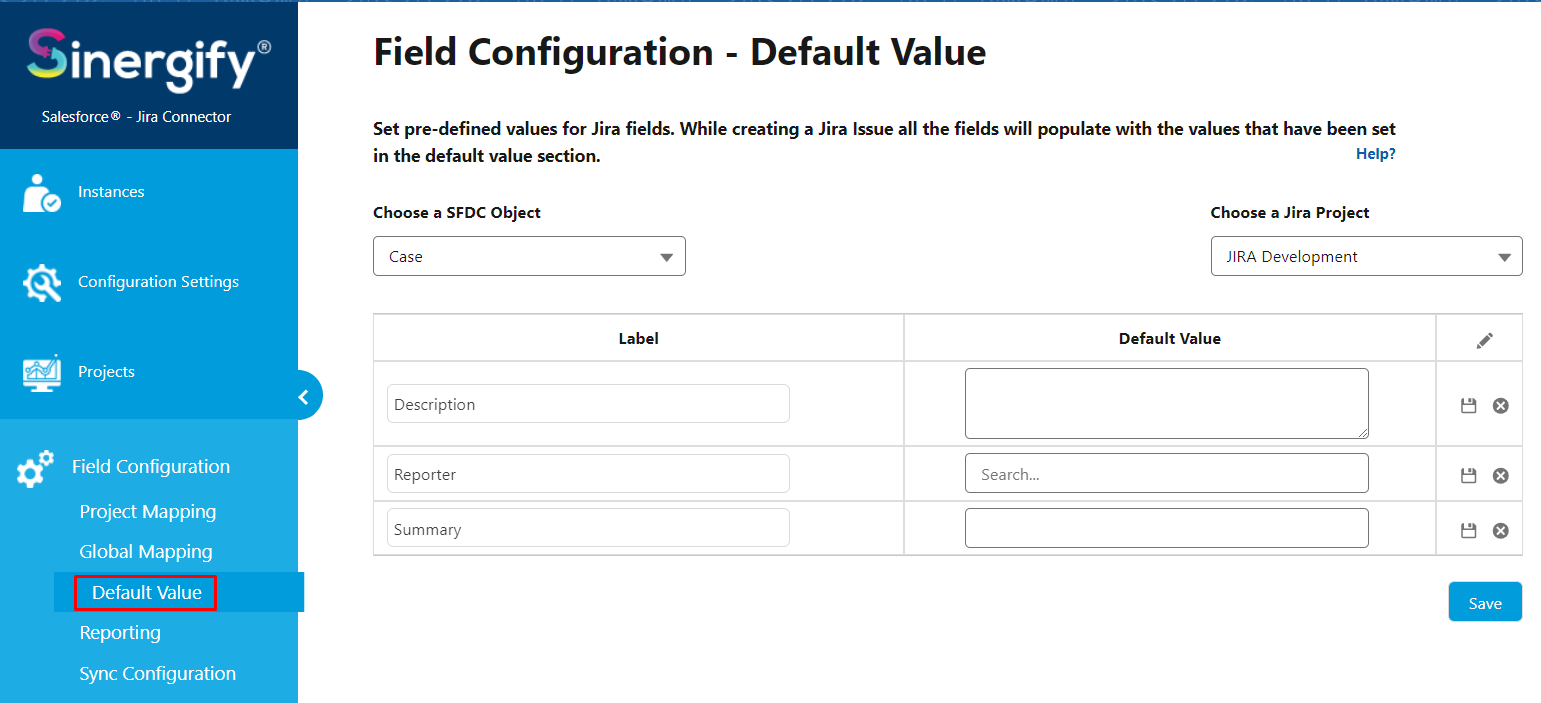
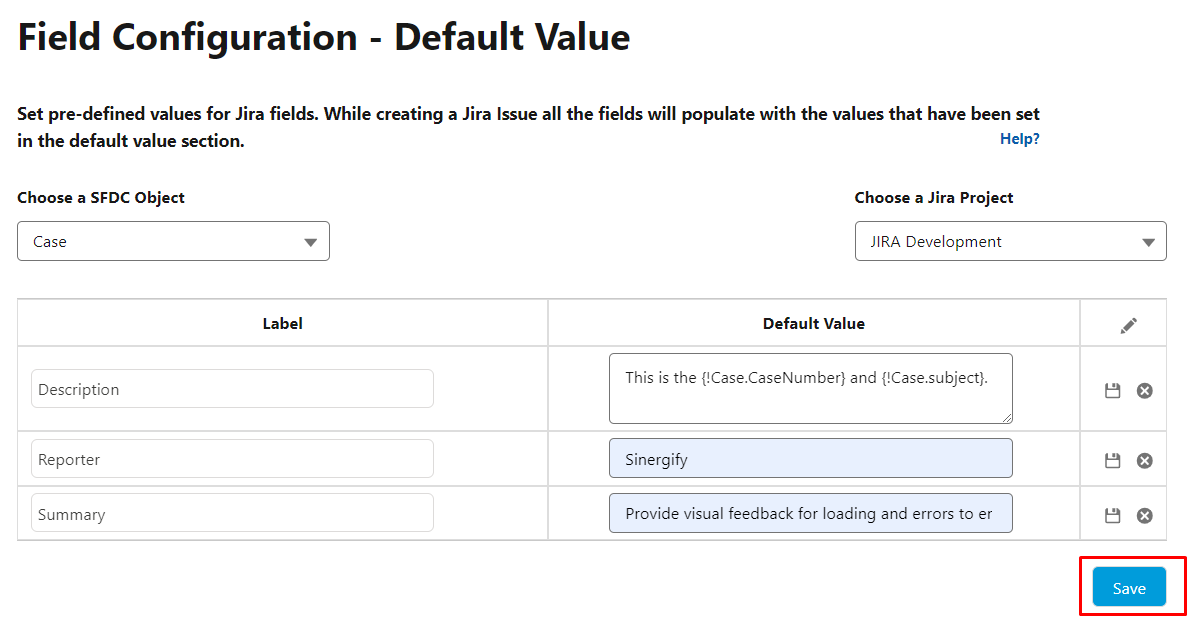
Click Default Value from the Fields Configuration sub-tab.
-
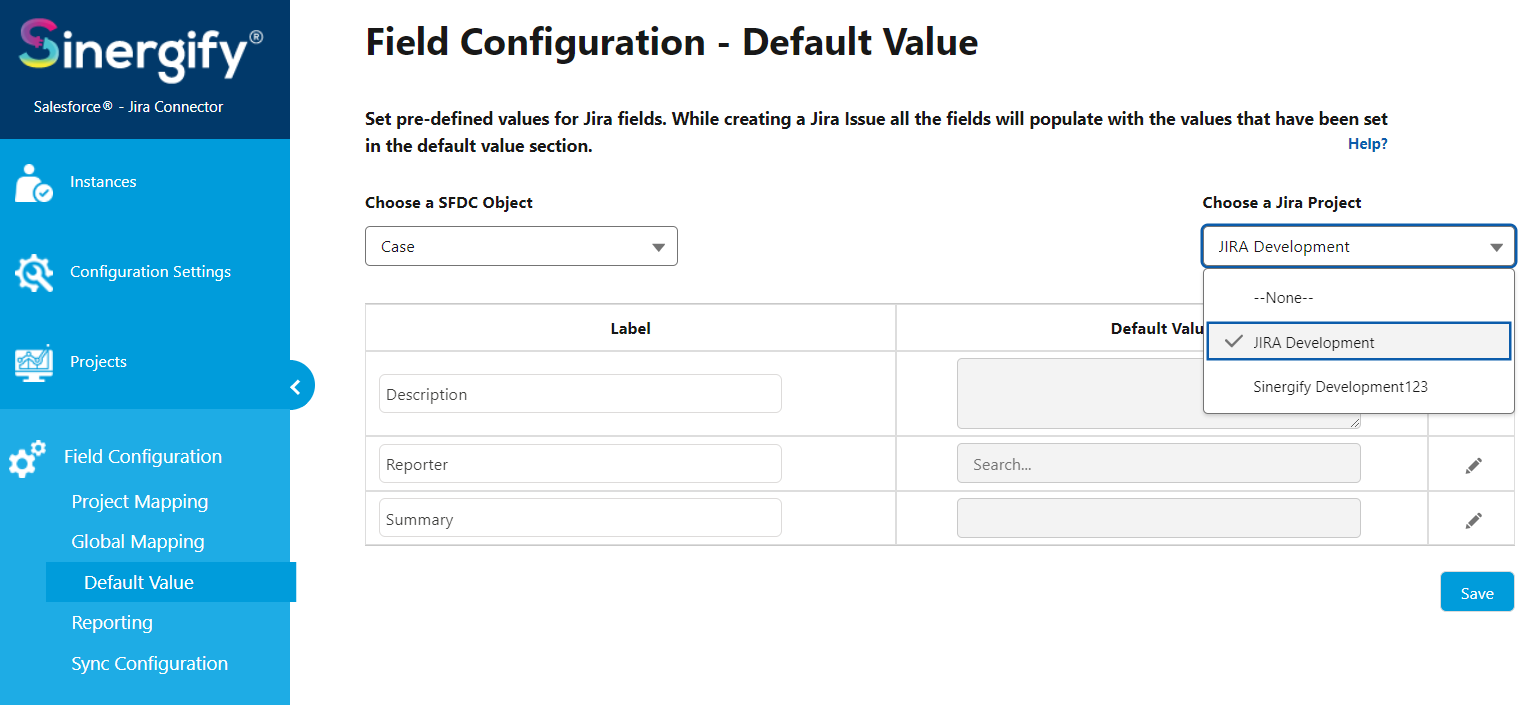
Select an appropriate Jira project for which you want to do the default mapping.
-
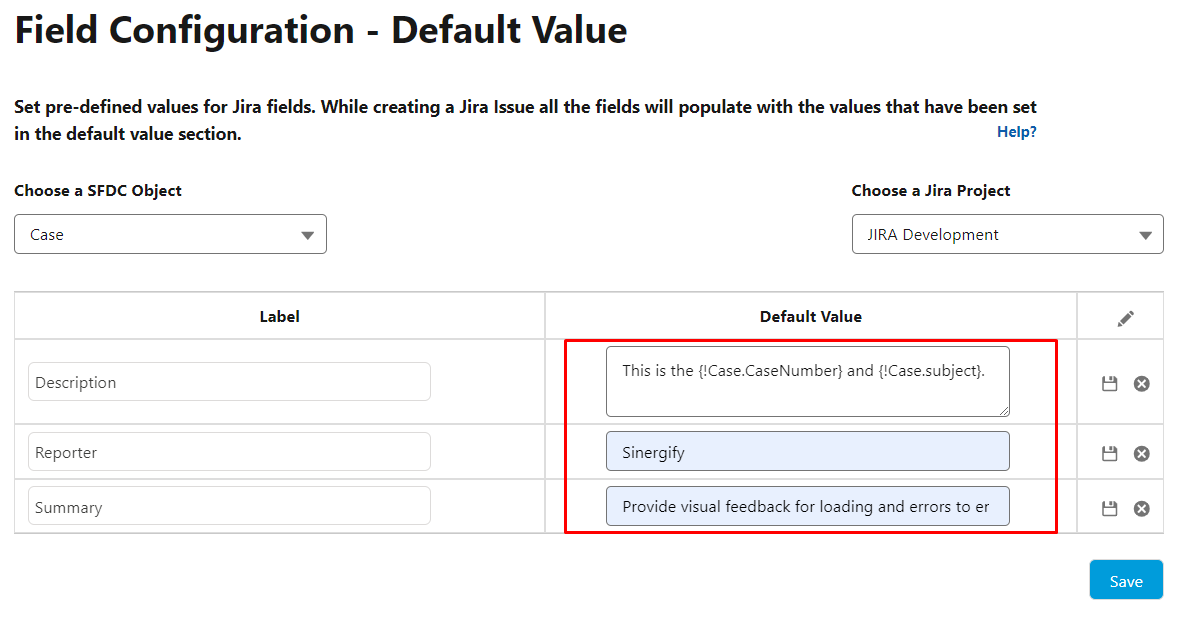
Click the Edit pencil icon to modify the field where you want to set a default value. You can also set both static and dynamic default values. For example, if you want to fetch values for the Case Description.
-
Once all the values are added, click Save.
-
This is how the Default value will look in the Create Jira screen.
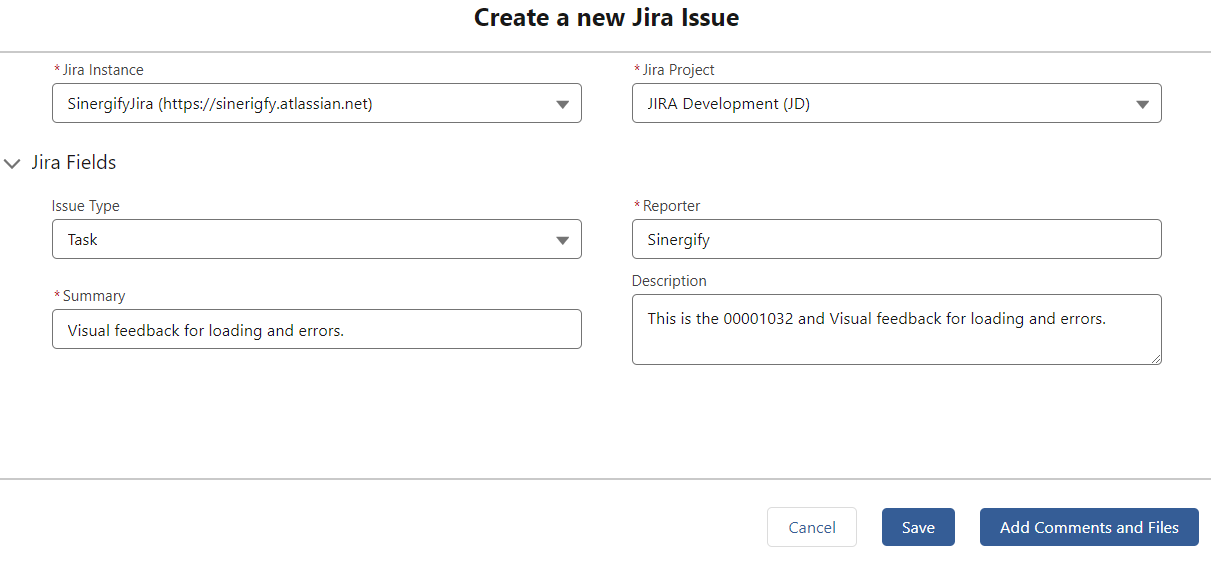
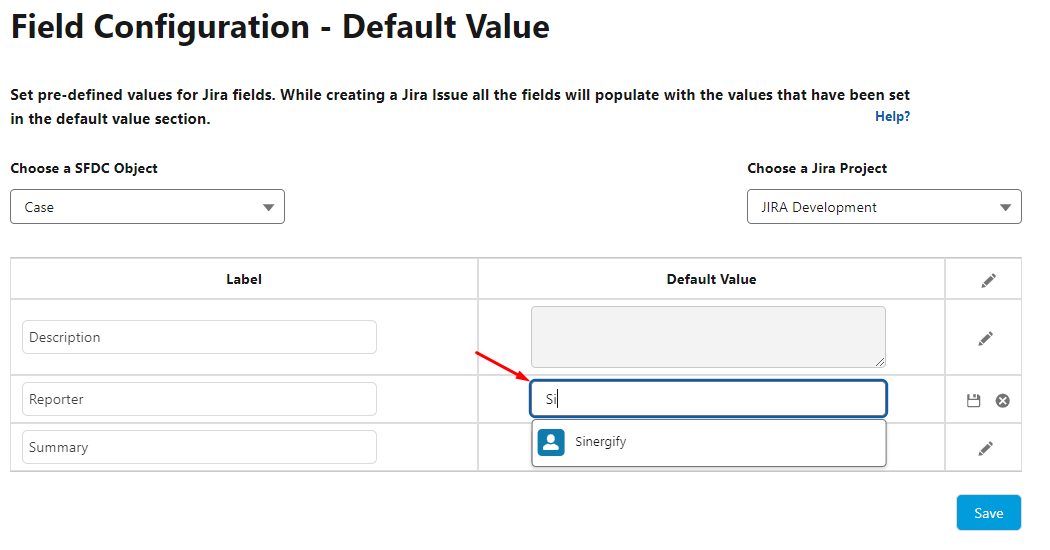
NOTE: To set the values for the user data types field, type in a few keywords which will get the result from Jira in real-time and will show the desired results in the drop-down, and then select the user from the option.